8.2.6. Quick objects creation
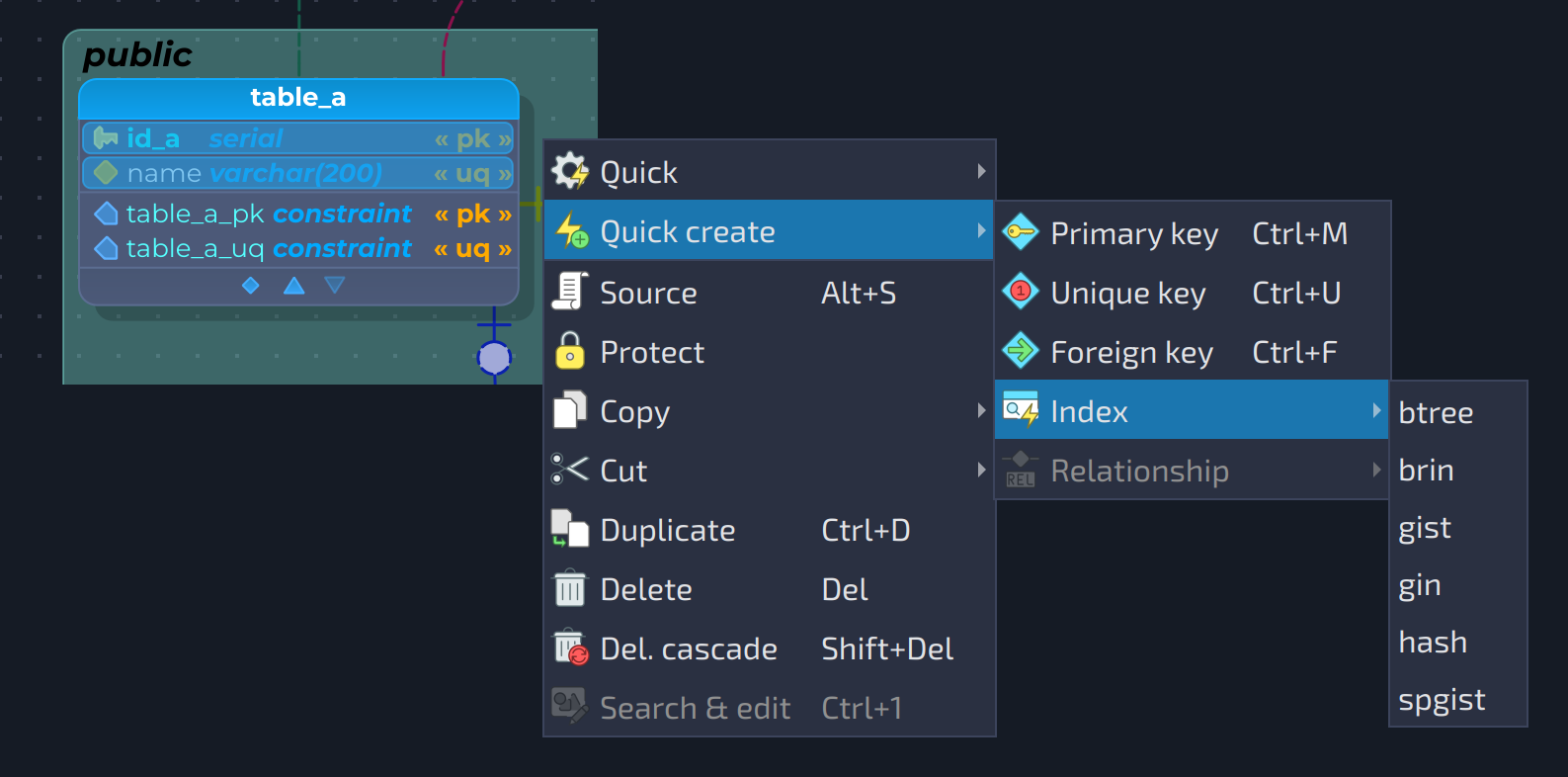
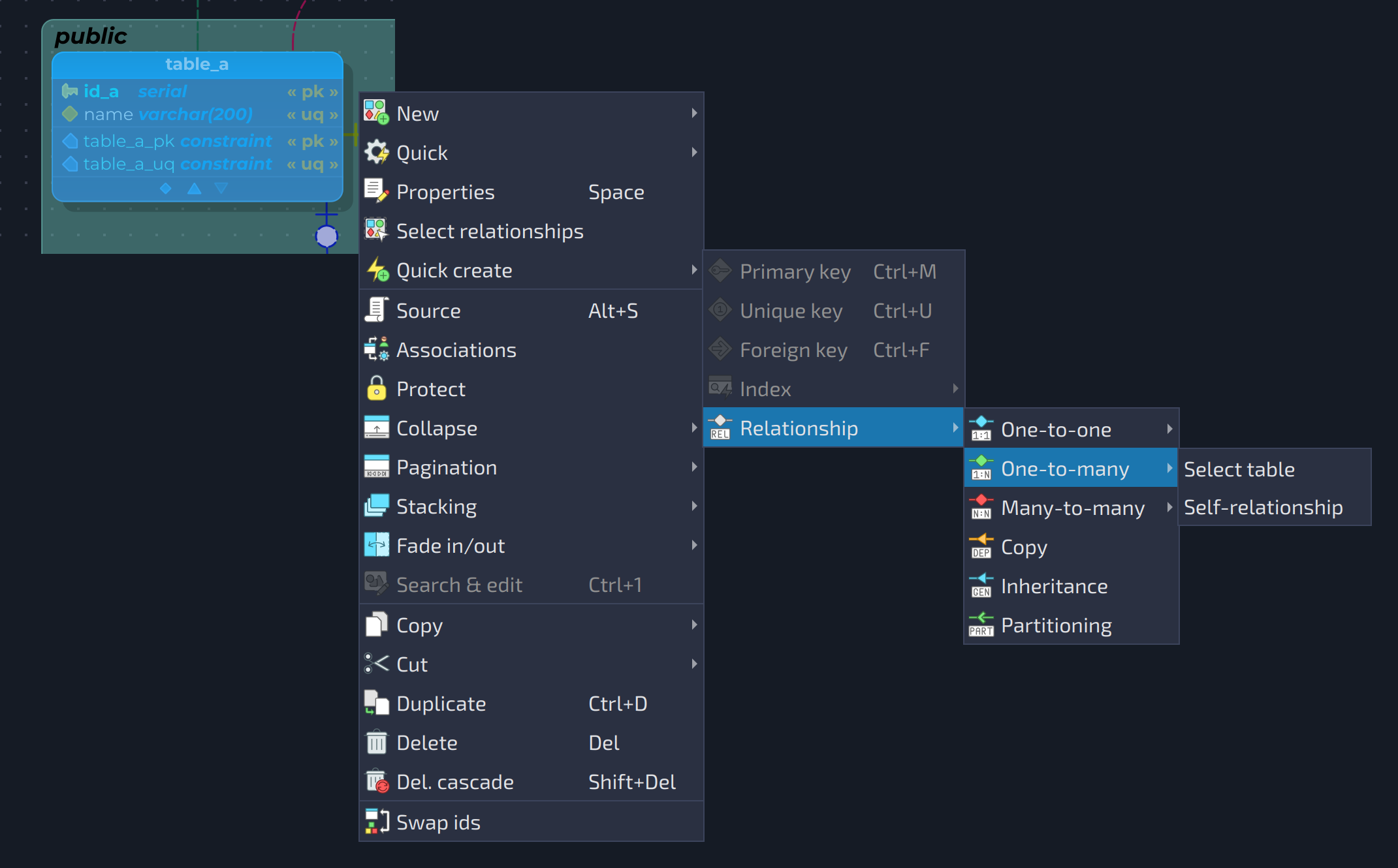
In pgModeler Plus, the user can quickly create some objects just by using an object's pop-up menu. Currently, only the quick creation of constraints, indexes, and relationships is supported. To create an object, make sure to have a table or a set of columns on the same table selected, then right-click the selection to trigger the menu. The 
Quick create action will be enabled. The items available in the submenu vary according to the currently selected object.
For primary keys and unique keys, just hit the desired item in the menu or its related shortcut (Ctrl+M for primary keys, Ctrl+U for unique keys, and Ctrl+F for foreign keys) to instantiate the desired object by using the selected columns as the new constraint columns. For foreign key constraints, an additional step is taken, which is the selection of the table that the constraint will reference.
Now, for indexes and relationships, there is an additional submenu which lists, respectively, the index access method and the relationship types. For one-to-one, one-to-many, and many-to-many relationships, an extra menu entry is listed: Select table and Self-relationship. The first entry triggers the selection of the other table that will be part of the relationship being created. The second one causes the link being created to be a self-relationship, which means that the selected table is linked to itself.
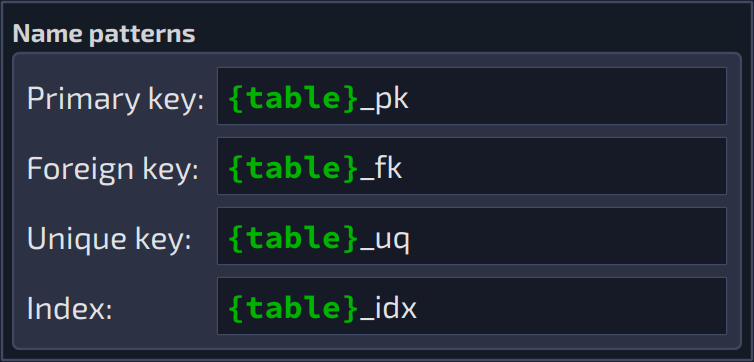
The objects created by this plug-in can have their name generation controlled via name patterns, as it happens with relationships. For constraints and indexes, one can specify name patterns in the plug-in's configuration widget. Currently, only the attribute {table} is accepted, and causes the name of the parent table of the object to be replaced in the pattern during the name generation. For relationships, the name patterns as found in the relationship editing form and relationship settings are used.