7.4. Copy, cut, duplicate and delete objects
Objects can be copied (Ctrl+C), cut (Ctrl+X), duplicated (Ctrl+D), and deleted (Del) in the database model. In the case of copy and cut operations, you can also do these actions between the loaded database models. One caution is needed when you are trying to cut or delete a set of objects: in pgModeler, the objects are strongly linked and in some cases, deleting or cutting certain objects may cause the removal of other ones not necessarily selected by the user. This happens mainly to relationships that generate columns that can be referenced by many other objects. If the user removes the relationship, all the objects that reference the generated columns will be excluded too.
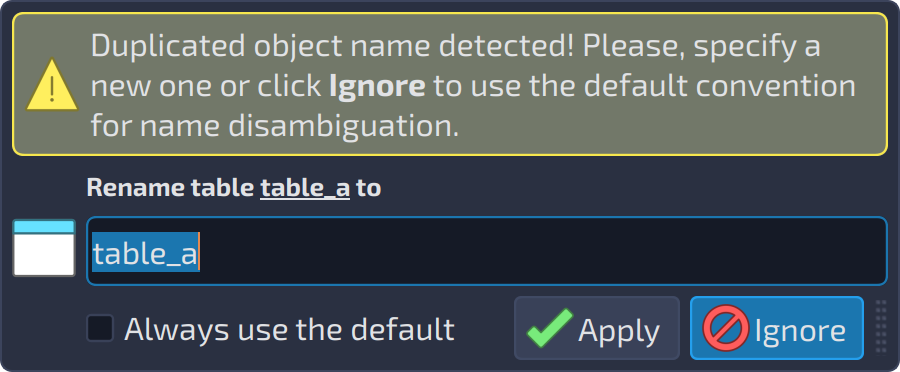
For the copy and cut operations, pgModeler offers the user the option to copy the selected object's dependencies. So, to copy the objects and their dependencies, hit Ctrl+Shift+C, and to cut objects as well as their dependencies, use the shortcut Ctrl+Shift+X. This is useful when you are doing these actions between models, and the dependencies don't exist on the destination. For instance, let's say you want to copy the table table_a that is under the schema schema_a and intend to paste it into another model, but the mentioned schema does not exist there. What the copy dependencies do is to insert the schema_a in the list of objects to be copied, and at the time of pasting them in the second database model, both table_a and schema_a are created there. In the case of pasting objects on the database model where there are conflicting names, pgModeler will display a dialog where the user can set a new name for the pasted objects to avoid name conflicts (see below). If the user ignores name ambiguity resolution, pgModeler will automatically rename the objects and assign a suffix _cp to distinguish their names.
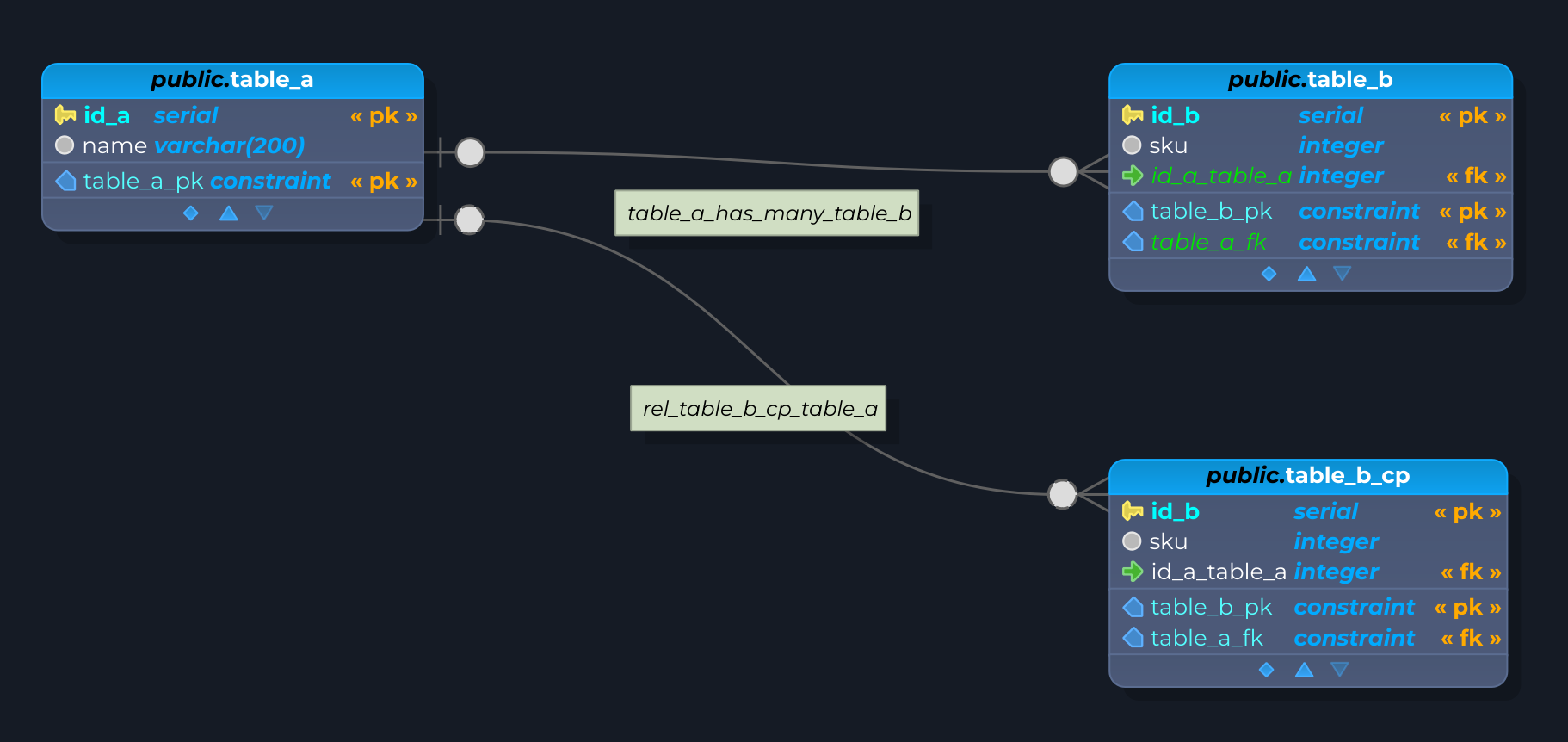
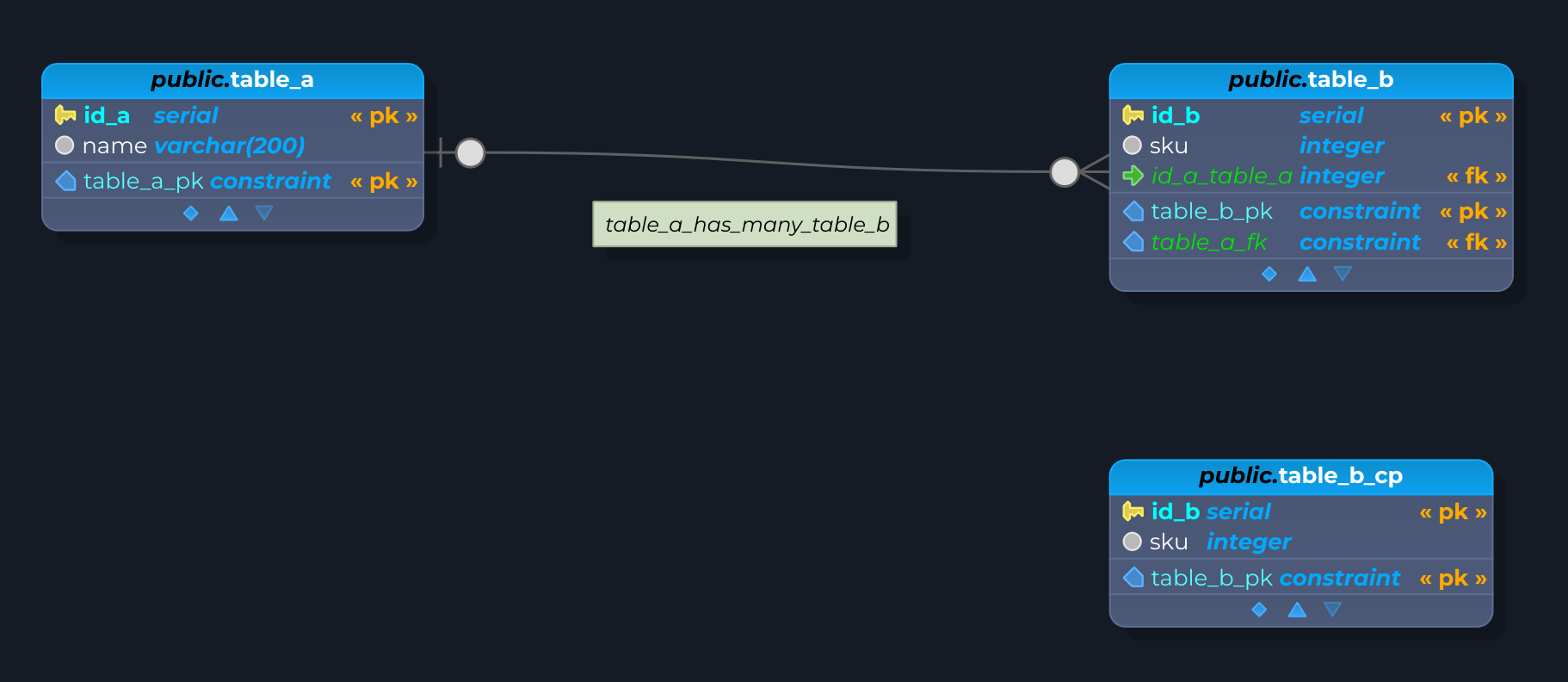
The duplicate operation works almost like a copy and a paste in a single step. The difference is that, unlike the copy operation, it creates completely detached objects and is performed only in the current model. An example of a detached object is a table that holds columns and constraints added by a relationship. When duplicating the table, all columns and constraints are duplicated in the resulting table too. This does not happen on a copy operation because it only considers objects that aren't added to the table by relationships. See the image below to have an idea of the results produced by the duplication and copy operations. The first image shows the result of duplicating public.table_b: the new table public.table_b_cp holds the foreign key column and constraint added by the relationship. The second image shows the result of copying and pasting the same table: the pasted public.table_b_cp has only the objects that belong to the table itself.
In the context menu, the items Copy and Cut open a submenu with the options Selected only (the same as Ctrl+C and Ctrl+X) and Sel. + dependencies (the same as Ctrl+Shift+C and Ctrl+Shift+X).
Finally, the delete cascade (Shift+Del, or the item Del. cascade of the context menu) operation drops an object and all its children and references. But be careful when using this action: if one or more protected objects are in the set to be dropped, the whole operation is aborted, but the objects already deleted are not restored and, in some cases, the change is irreversible.