6.8. Swap objects ids
The object-swapping tool is mostly used to solve some conflicts that the validation tool can't. It grants the user full control over the creation order of the objects in the database model. You seldom need to use this feature, but there are very few cases in which its use is needed.
One example could be a function that, inside its source code, references a table somehow, but the table is being created after the function. Since the validation tool cannot check conflicts inside the object's SQL code, in the presented scenario, the model would validate without problems except when running the SQL code validation (final and optional step). In this case, PostgreSQL would detect the reference breaking due to the malformed code. To solve problems like this, the user can manually swap the creation order of the objects using the dialog below. In that form, one can specify which object will be created before another, so any reference breaking not detected by the validation can be solved.
Another example of usage of this tool is when the default value of a column uses a function call like nextval(some_sequence::regclass) and that sequence is created after the table that owns the column. The solution here is to swap the IDs of the sequence and table, making the former be created before the latter. Bear in mind that changes made in this dialog are irreversible and cause the operations history to be erased and the model to be put in a modified state, which demands validation.
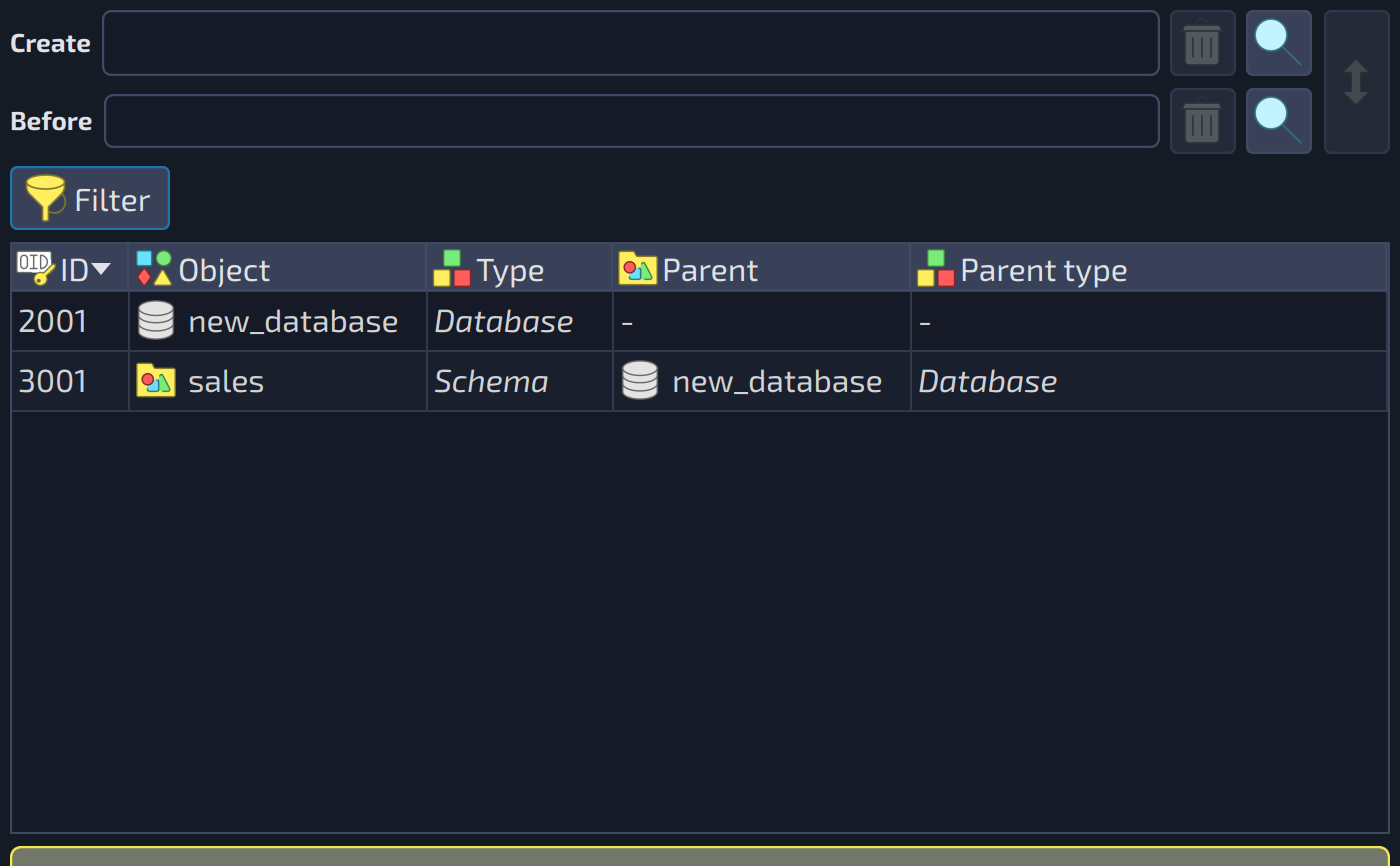
The objects swapping dialog allows the user to move objects freely to the desired position in the creation order. To do so, just select an item in the list of objects and hit Ctrl + Up or Ctrl + Down to move it up or down, respectively. Doing this will cause the object right above or below to swap positions with the selected one. Remember that any modification to this dialog needs to be validated before saving the model or exporting it to a database server. The fields of the form are described below.
 12345
12345
| Swap objects ids | ||
|---|---|---|
| # | Field | Description |
| 1 | Create | The object that must be created before the other one. |
| 2 | Swap values | Swaps the values of the two object fields. |
| 3 | Before | The object that is created after the one selected in the field |
| 4 | Filter | Shows or hides the filter of the objects grid, which matches the names of the objects against the keywords typed by the user. |
| 5 | Objects list | Shows the creation order of all the objects of the model. It is an alternative way to select the objects to be swapped: double-click an item to fill the fields |
| Action/Field | Description |
|---|---|
Swap IDs | This button applies the ID swapping. |
Hide system objects | This option causes system objects to be hidden since they can't be swapped with any other object in the model. |
Hide relationships | This option causes relationships to be hidden since they can't be swapped with any other objects in the model except for other relationships. |