6.10. Model restoration
In case of unexpected crashes or inappropriate exits (e.g., killing the application process or even improperly shutting down the system), pgModeler saves a temporary model file that contains almost all the modifications done before stopping to work. This is a safety feature created to prevent complete data loss.
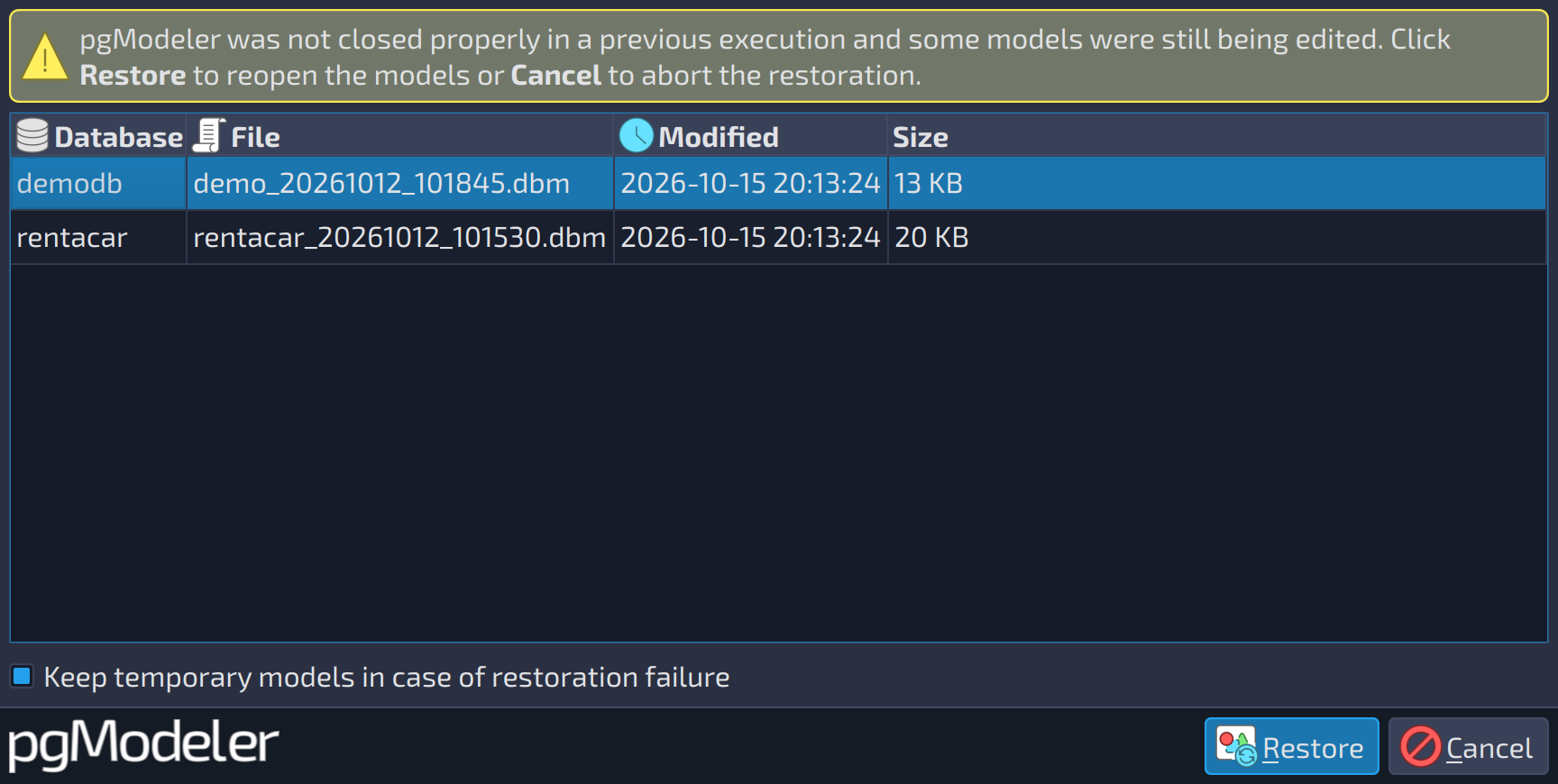
Immediately after the restart, pgModeler switches to the model restoration mode, and the dialog below is displayed. The user can select each previously loaded model in the list to restore them. It's recommended to save the restored models as soon as the main window is opened. You can quickly save all restored models at once by using the menu File > Save All. The few options and controls of this form are detailed below.
 1234
1234
| Model restoration | ||
|---|---|---|
| # | Field | Description |
| 1 | Temporary models | The temporary model files to be restored, with the database name, file, modification date, and size. Select an item to restore it. |
| 2 | Keep temporary models in case of restoration failure | pgModeler tries to recover the selected models but does not delete the temporary models if they fail to load. This option is a last resort to recover a database model. The temporary models are kept until the application is closed, so try to recover the files manually before exiting pgModeler. |
| 3 | Restore | Proceeds with the restoration of the temporary models. All the models are loaded automatically when the main window is displayed. |
| 4 | Cancel | Aborts the current restoration process and proceeds with the normal initialization of the application. |