3.9. Functions
Functions are objects that store a collection of commands (routines) that can be reused in different ways from within the database system itself to external languages or programs. In PostgreSQL, these powerful objects are also used to create other objects like operators, triggers, casts, conversions, user-defined languages, and many others.
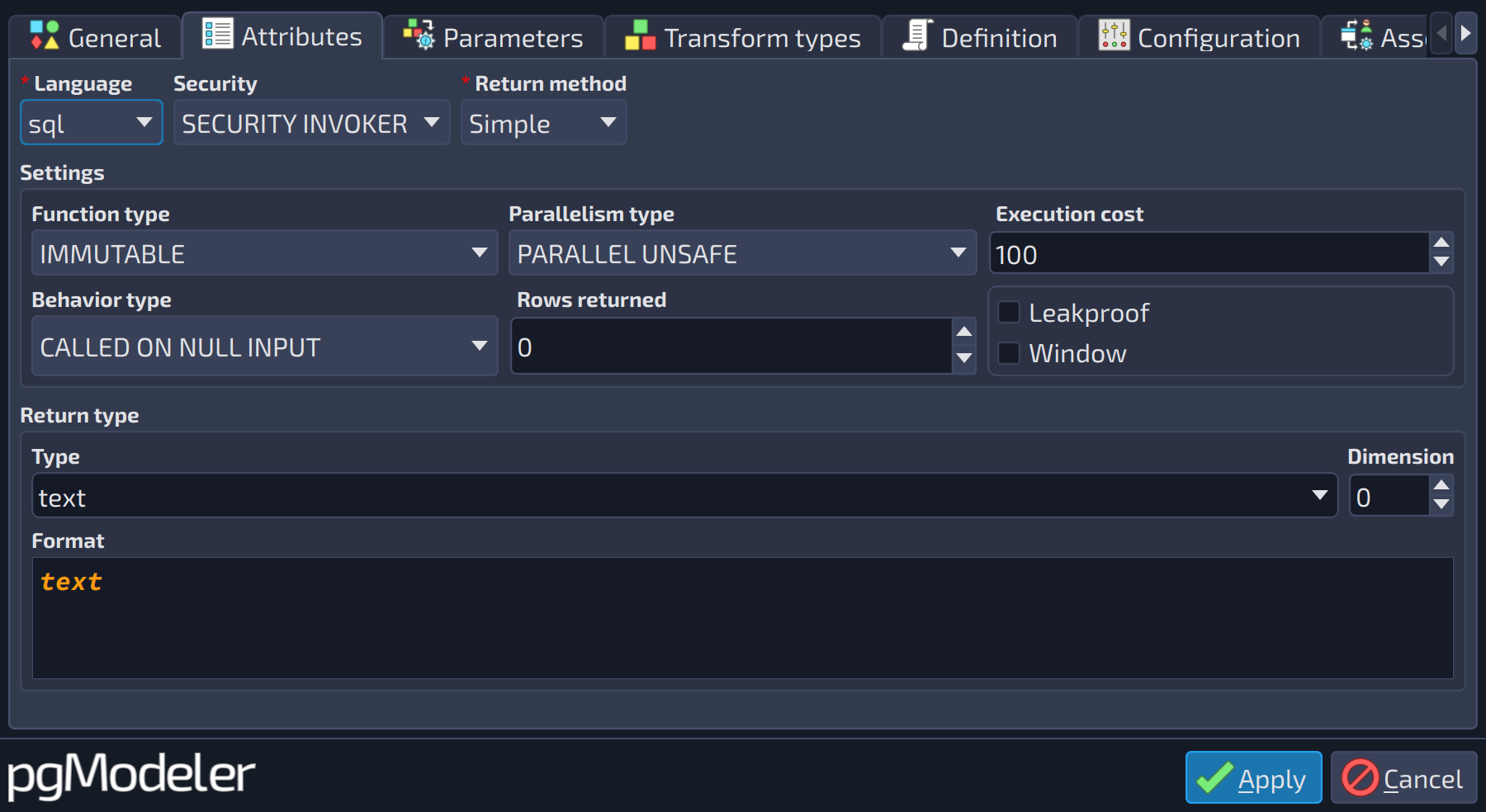 12345678910111213
| Attributes | |||
|---|---|---|---|
| # | Field | Group box | Description |
| 1 | Language | The language in which the function is written. There are four built-in languages available when a new model is created in pgModeler: | |
| 2 | Security | Indicates the security context in which the function is executed. Two values are accepted: | |
| 3 | Return method | Defines the returning mode of the function. Three modes are accepted: | |
| 4 | Function type | Settings | Indicates the volatility of the function. This attribute informs the PostgreSQL query optimizer about the behavior of the function. Three values are accepted: |
| 5 | Parallelism type | Settings | Defines the parallelism settings of the function. The possible values are |
| 6 | Execution cost | Settings | Specifies an estimated execution cost of the function ( |
| 7 | Behavior type | Settings | Indicates the behavior when the function is called with null arguments. Two values are accepted: |
| 8 | Rows returned | Settings | Specifies the estimated number of rows returned by the function, which the PostgreSQL query planner can expect. It is used ( |
| 9 | Leakproof | Settings | Indicates that the function has no side effects and reveals no information about its arguments other than its return value. |
| 10 | Window | Settings | Marks the function as a window function ( |
| 11 | Type | Return type | The data type. Besides the built-in types, the list also holds the user-defined types, domains and other types of the model. |
| 12 | Dimension | Return type | Number of dimensions when the type is an array ( |
| 13 | Format | Return type | Read-only preview of the data type as it is written in the SQL code, with length, precision, dimension and other modifiers applied. |
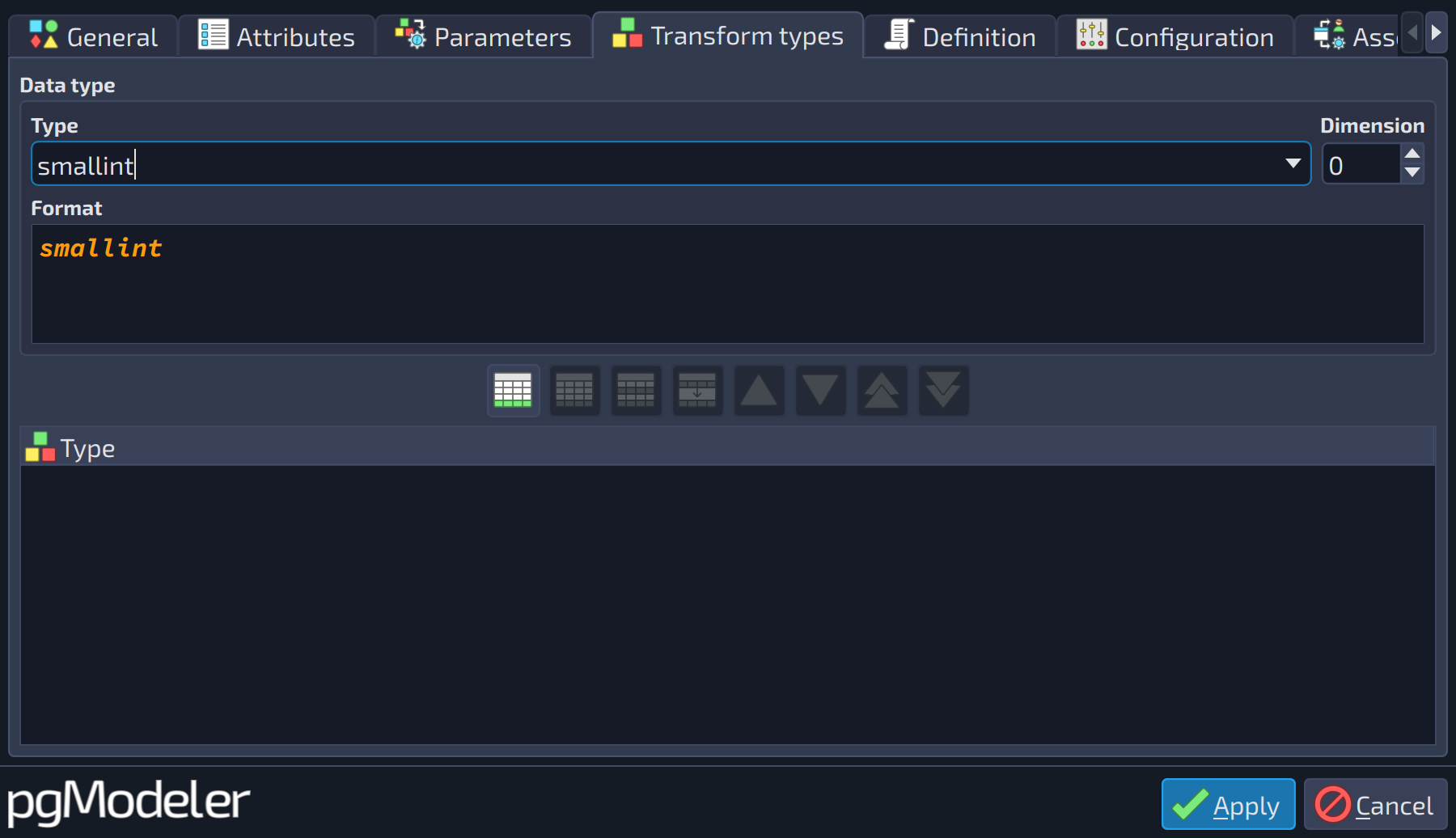 1234
1234
| Transform types | |||
|---|---|---|---|
| # | Field | Group box | Description |
| 1 | Type | Data type | The data type. Besides the built-in types, the list also holds the user-defined types, domains and other types of the model. |
| 2 | Dimension | Data type | Number of dimensions when the type is an array ( |
| 3 | Format | Data type | Read-only preview of the data type as it is written in the SQL code, with length, precision, dimension and other modifiers applied. |
| 4 | Transform types | The transforms that a call to the routine should apply. Select the type in the group above and use the add button | |
 to include it in the list.
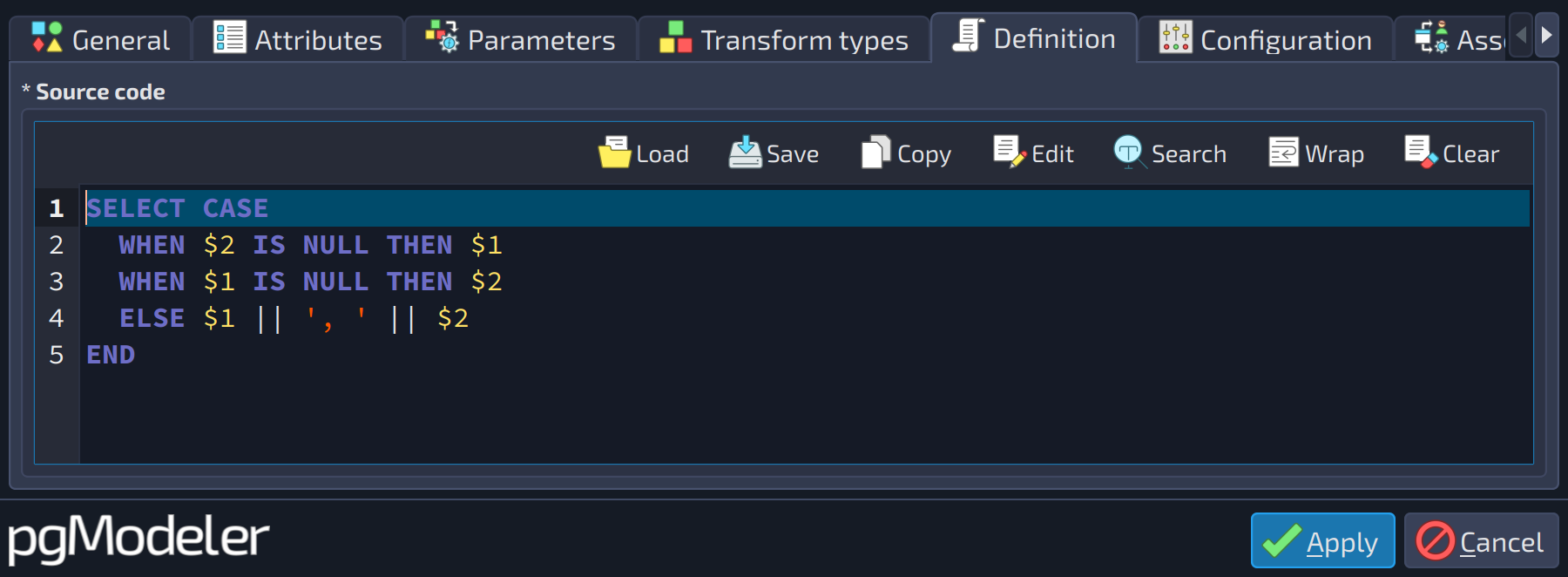 1
1
| Definition | ||
|---|---|---|
| # | Field | Description |
| 1 | Source code | The complete set of commands that the function must execute. This field is language-dependent, which means that you cannot mix commands from different languages: only the language selected in the field |
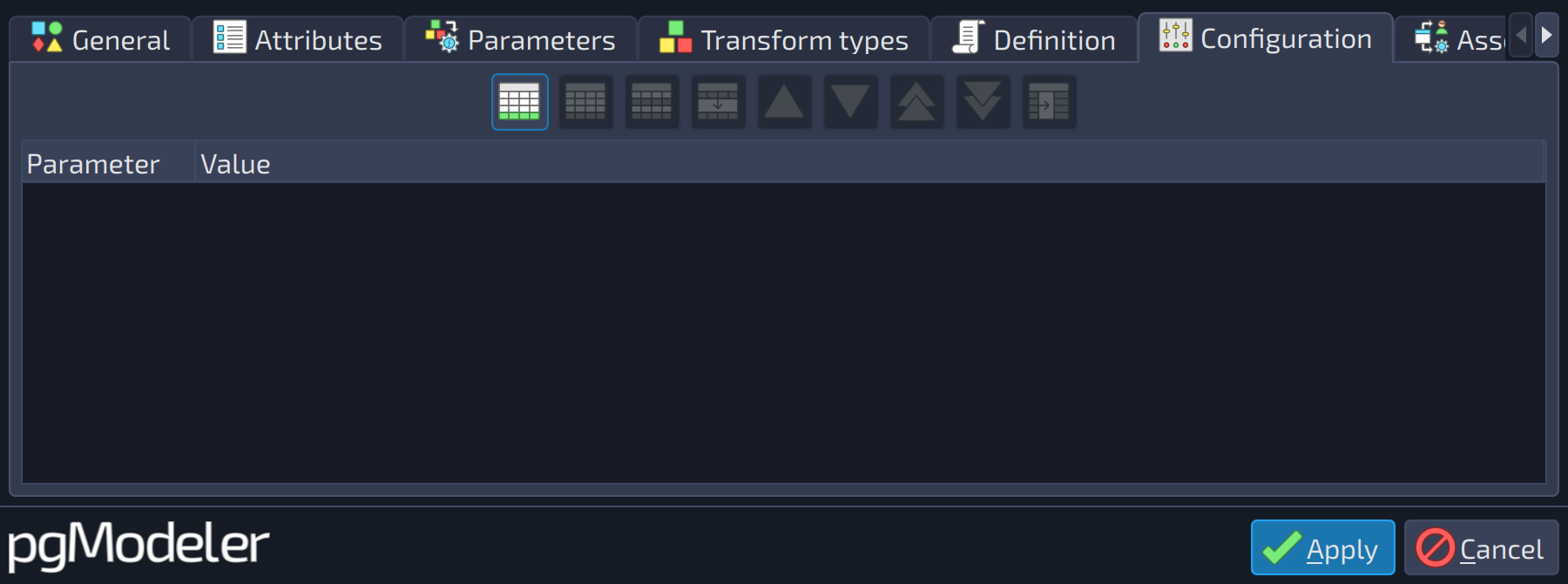 1
1
| Configuration | ||
|---|---|---|
| # | Field | Description |
| 1 | Configuration parameters | Runtime configuration parameters of the routine ( |
When the return method is Table, the tab Attributes also shows a list with the set of columns returned by the function. The user is asked to configure a new column every time the add button is activated; since the returned table has no complex syntax, demanding only a name and data type for each column, the parameter editing form is used instead of the column editing form.
The fields of the tab Definition vary according to the selected language. For the c language, the fields Symbol (the function name that defines the function in a shared library) and Library (the path to the shared object file on the destination server) are shown instead of the source code field.
Parameters
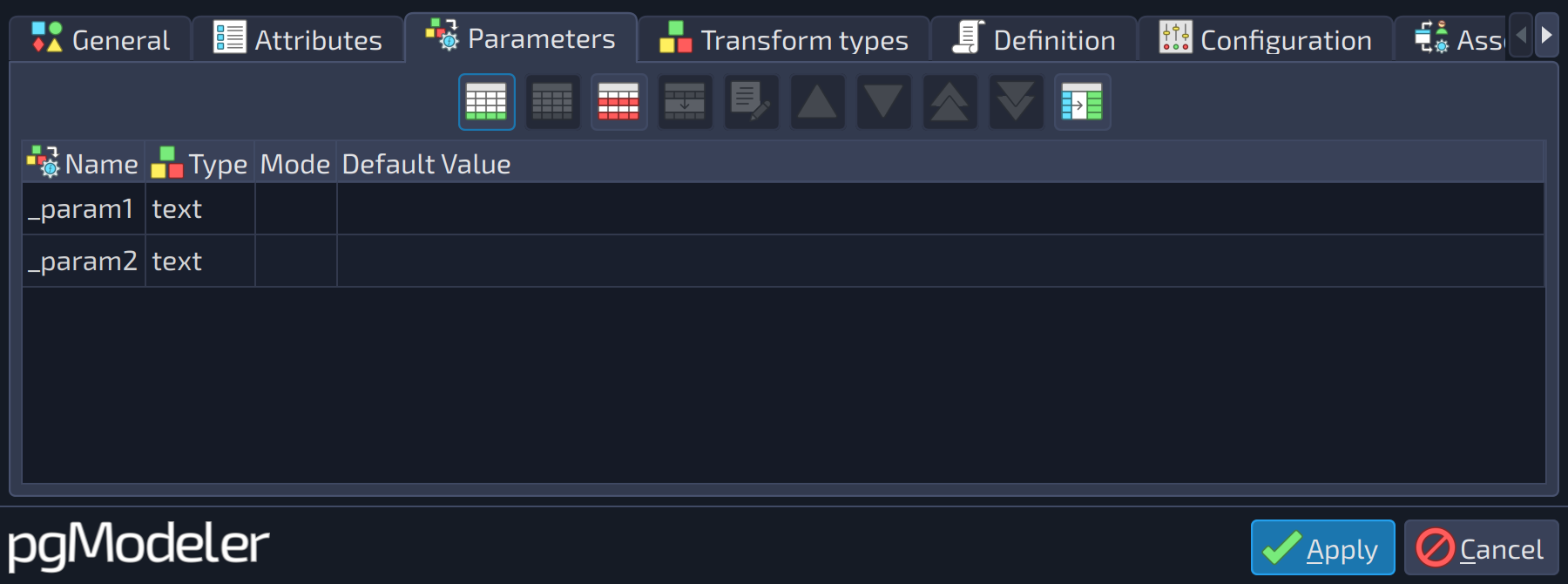
Parameters are defined by a separate object and assigned to functions. This kind of object is quite similar to columns, but some of the attributes present on the latter, like NOT NULL and Sequence, are absent, and one additional attribute exists as detailed below.
 1
1
| Parameters | ||
|---|---|---|
| # | Field | Description |
| 1 | Parameters | The parameters of the function. Each one is configured in the parameter form described in the next section. |
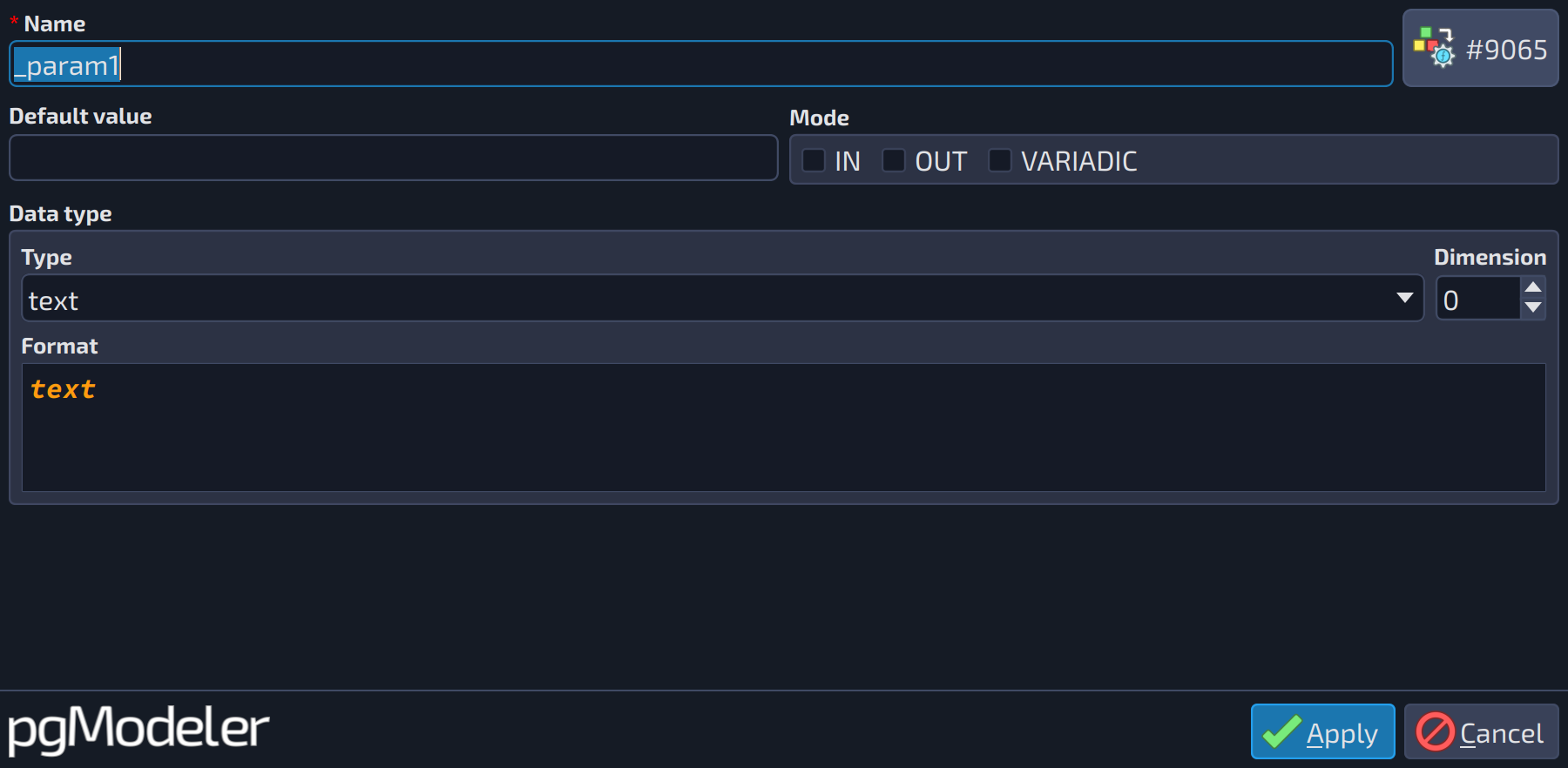
Each parameter is configured in the following form:
 12345678
| Parameter | |||
|---|---|---|---|
| # | Field | Group box | Description |
| 1 | Name | The name of the object. It follows the PostgreSQL rules for identifiers (up to 63 bytes in a default installation). Leaving it empty raises an error when the form is applied. | |
| 2 | Default value | The default value of the parameter, used when the argument is omitted in the call. | |
| 3 | IN | Mode | The parameter is an input one (the default). It can be combined with |
| 4 | OUT | Mode | The parameter is used as a result of the function. It can be combined with |
| 5 | VARIADIC | Mode | The function accepts a variable number of arguments of the parameter's type, received as an array. It must be the last parameter. This option is exclusive with |
| 6 | Type | Data type | The data type. Besides the built-in types, the list also holds the user-defined types, domains and other types of the model. |
| 7 | Dimension | Data type | Number of dimensions when the type is an array ( |
| 8 | Format | Data type | Read-only preview of the data type as it is written in the SQL code, with length, precision, dimension and other modifiers applied. |
References
Function DDL
https://www.postgresql.org/docs/current/static/sql-createfunction.html
Window functions
https://www.postgresql.org/docs/current/static/tutorial-window.html
Function parameters
https://www.postgresql.org/docs/current/static/xfunc-sql.html
Runtime settings
https://www.postgresql.org/docs/current/runtime-config.html