3.5. Triggers
Triggers are objects associated with a table that are used to execute operations stored in special functions when some operation (or event) happens on a single row or over the entire table. The trigger can be activated before or after the following events: INSERT, DELETE, UPDATE, or TRUNCATE. Besides ordinary triggers, there is a special kind known as a constraint trigger, whose firing time can be adjusted.
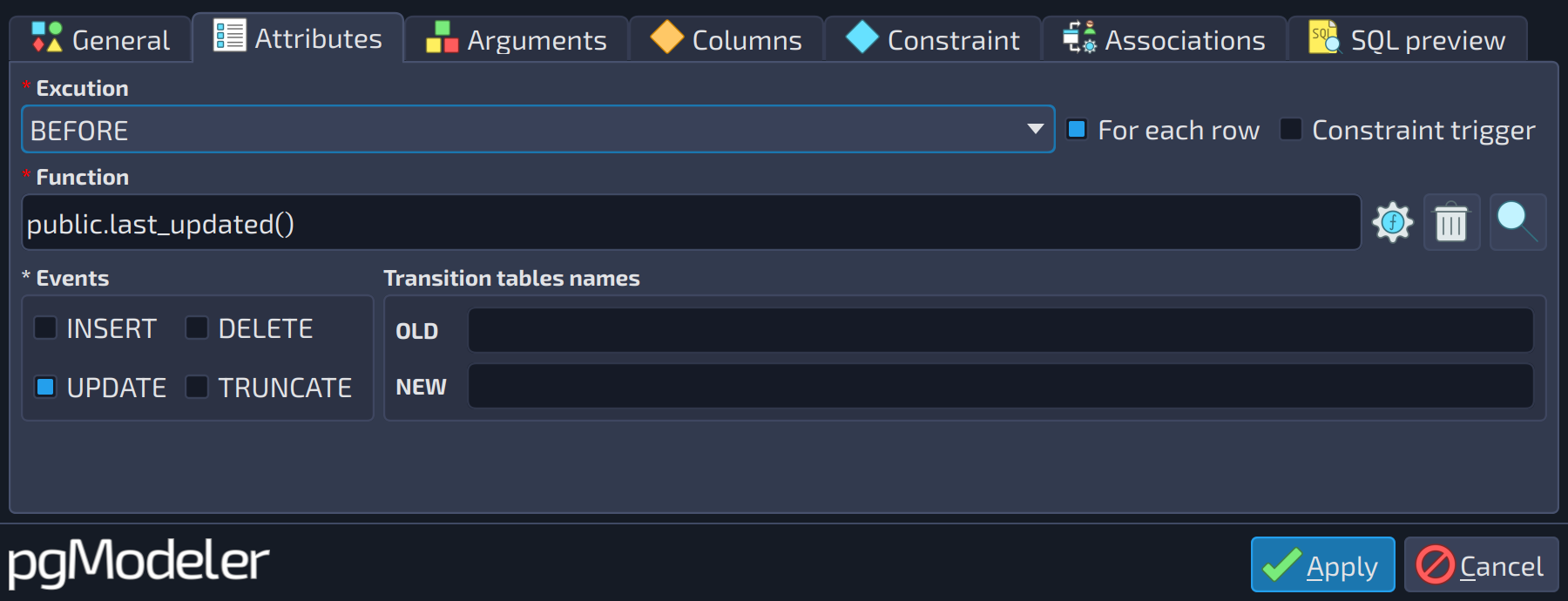 12345678910
| Attributes | |||
|---|---|---|---|
| # | Field | Group box | Description |
| 1 | Execution | The moment when the trigger fires in relation to the event: | |
| 2 | For each row | Executes the trigger function once for each row affected by the event ( | |
| 3 | Constraint trigger | Turns the trigger into a constraint trigger. Constraint triggers always fire | |
| 4 | Function | The function executed when the trigger fires. It must take no arguments and return | |
| 5 | INSERT | Events | Fires the trigger on |
| 6 | DELETE | Events | Fires the trigger on |
| 7 | OLD | Transition tables names | Name of the transition table that exposes the old versions of the affected rows ( |
| 8 | UPDATE | Events | Fires the trigger on |
| 9 | TRUNCATE | Events | Fires the trigger on |
| 10 | NEW | Transition tables names | Name of the transition table that exposes the new versions of the affected rows ( |
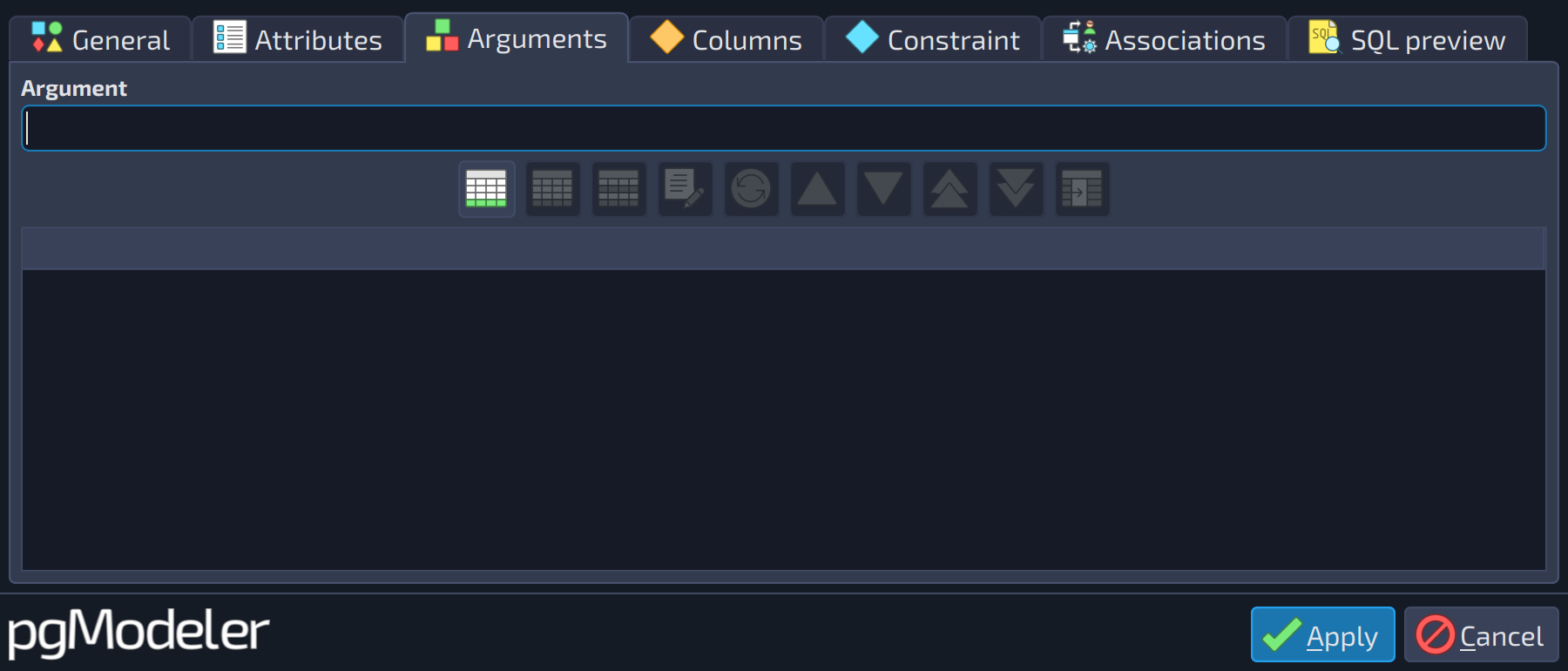 12
12
| Arguments | ||
|---|---|---|
| # | Field | Description |
| 1 | Argument | A literal argument passed to the trigger function at runtime. These arguments must be handled inside the function. |
| 2 | Arguments grid | Lists the arguments to be passed to the trigger function. Fill the field above and use the add button |
 to include an item.
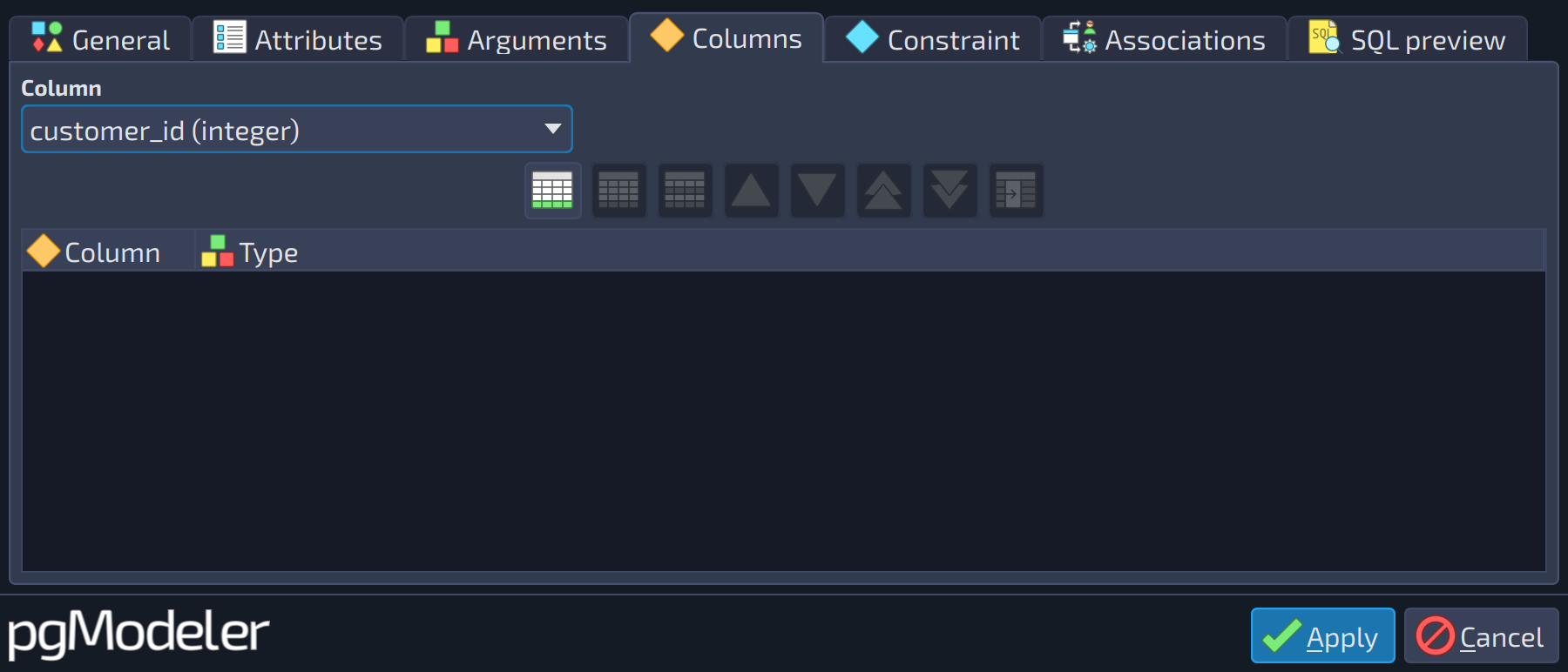 12
12
| Columns | ||
|---|---|---|
| # | Field | Description |
| 1 | Column | The columns of the table that cause the trigger to fire in case of an |
| 2 | Columns grid | Lists the columns whose update fires the trigger. |
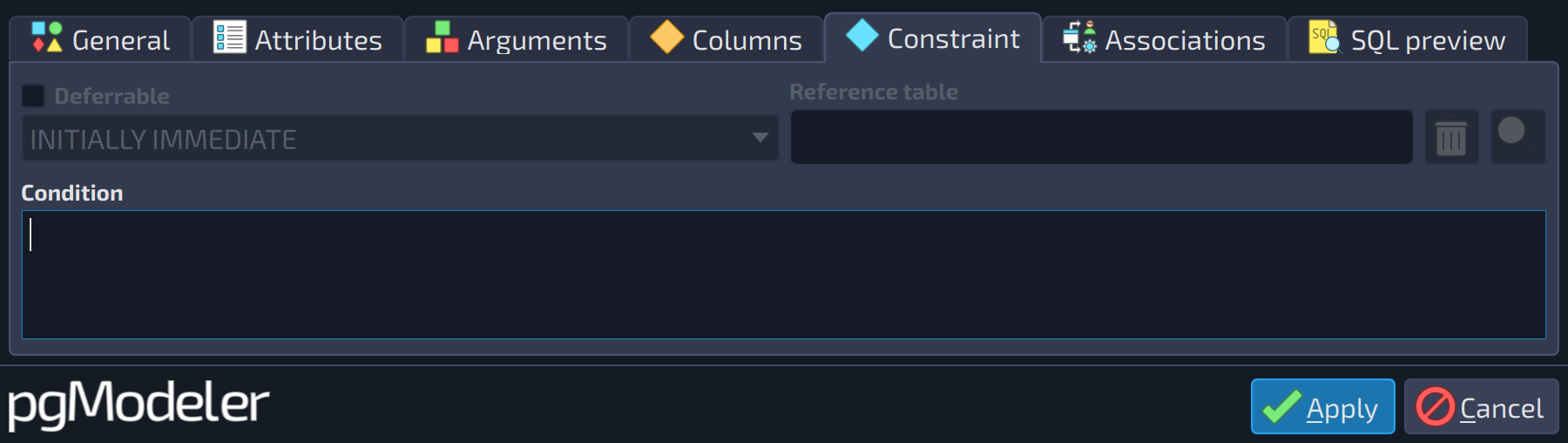 1234
1234
| Constraint | ||
|---|---|---|
| # | Field | Description |
| 1 | Deferrable | Indicates whether the constraint trigger can be deferred. Constraint triggers work like regular triggers, but their firing time can be adjusted with the command SET CONSTRAINTS. The deferral mode is configurable only when this option is checked. |
| 2 | Deferral | Specifies when a deferrable constraint trigger is checked: |
| 3 | Reference table | Table referenced by the constraint trigger ( |
| 4 | Condition | A boolean expression that determines whether the trigger function is executed ( |
References
Trigger DDL
https://www.postgresql.org/docs/current/static/sql-createtrigger.html