3.30. Tags
Tags are objects whose goal is to separate graphically objects without the need to change their schemas. Since schema objects surround all their children in a rectangle, denoting that those objects are part of the same context, this can be an undesired behavior depending on the model being created, because the user sometimes needs to separate objects visually but not necessarily by moving the objects to the same namespace. This is where tags come in: they can put tables and views in the same visual context without demanding any attribute changes on the involved objects.
The image below gives an example of tag usage. Note the tag-like object at the bottom of each table. This is the graphical representation of tags. Also, note that we have four tables, but each one with its own color pattern (by default, tables have the same color). This is another effect of assigning a tag to a table or view: a tag always overrides the default color configured for the objects.
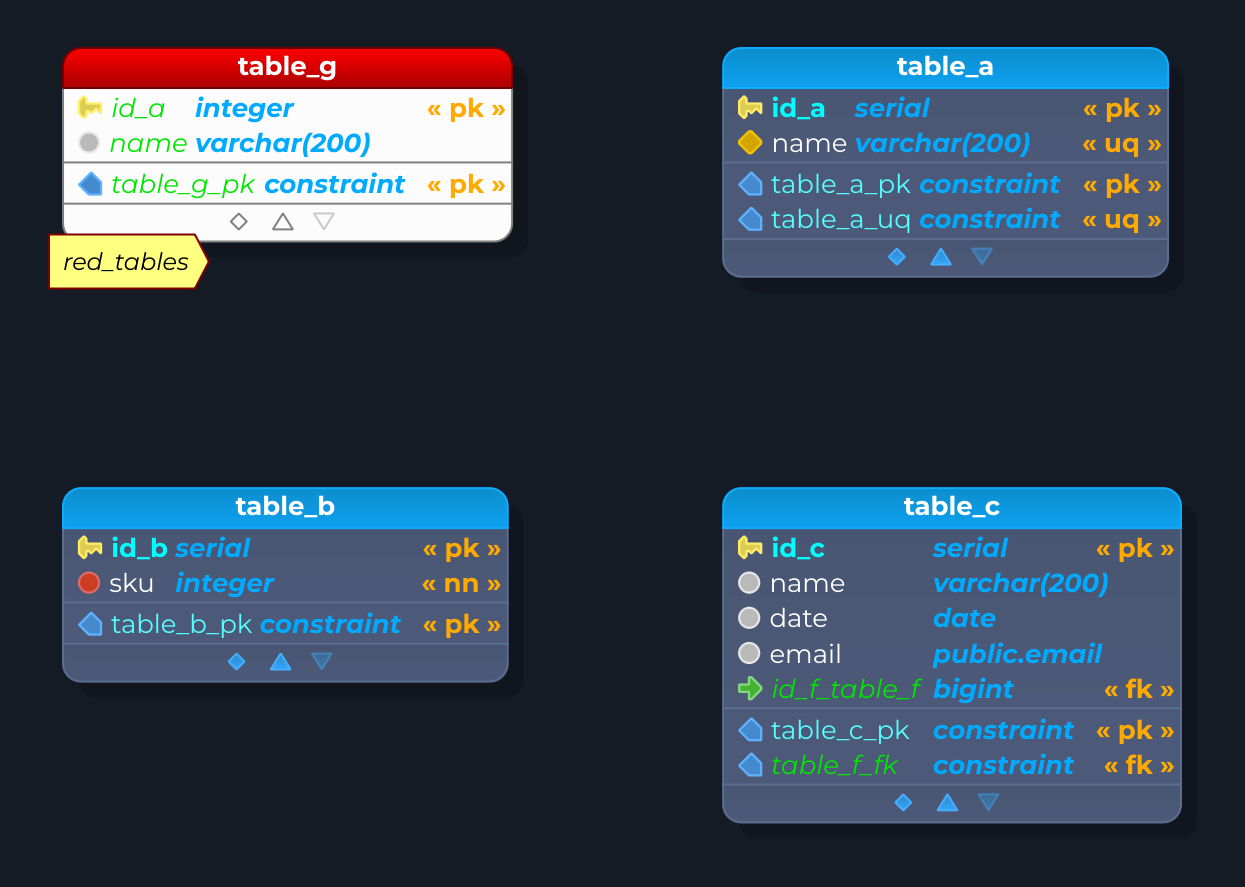
Finally, tags have no meaning in SQL scope, so when generating this kind of code, all tags and their associations to tables and views will be completely ignored because tags are stored only in XML format playing their role just at design time. Below, all attributes for tags are described.
Creating tags from schemas
Instead of creating a tag by hand and assigning it table by table, you can generate tags from the schemas of the model. Right-click a schema and choose Quick > Add tag from schema: pgModeler creates a tag named after the schema (with a numeric suffix if a tag with that name already exists), uses the fill color of the schema as the color of the table title of the tag, and assigns the tag to all the tables, foreign tables, and views of that schema. Since the tables now carry the schema's color, the rectangle of the schema is hidden when at least one object received the tag. If some of those tables already have a tag, pgModeler asks whether the new tag must replace the existing ones.
To do the same for all schemas at once, right-click the database (or a blank area of the canvas) and choose Quick > Add tags from schemas; pgModeler asks for confirmation before creating one tag per schema. These operations are registered in the operations history, so they can be undone.
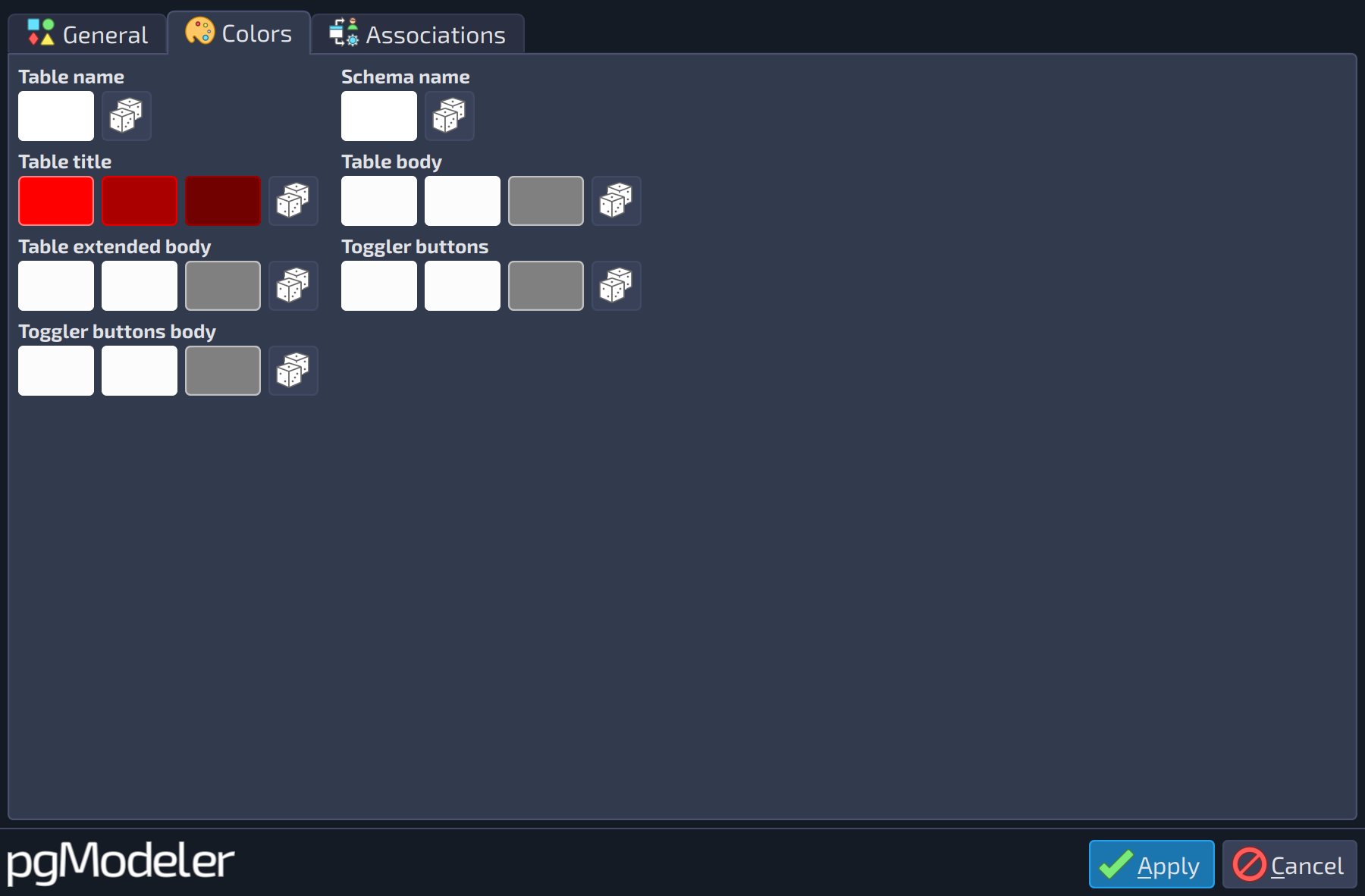 1234567
| Colors | ||
|---|---|---|
| # | Field | Description |
| 1 | Table name | The foreground color of the table name portion on top of a table or view object. |
| 2 | Schema name | The foreground color of the schema name portion on top of a table or view object. |
| 3 | Table title | The fill color of the title object on top of a table or view. It accepts three colors: the first two are used as a gradient filling, and the last is the object border color. |
| 4 | Table body | The fill color of the body object (where columns reside). It accepts three colors: the first two are used as a gradient filling, and the last is the object border color. |
| 5 | Table extended body | The fill color of the extended body object (where constraints, triggers, rules, and indexes reside). It accepts three colors: the first two are used as a gradient filling, and the last is the object border color. |
| 6 | Toggler buttons | The fill color of the toggler buttons of the extended body. It accepts three colors: the first two are used as a gradient filling and the last one is the border color. |
| 7 | Toggler buttons body | The fill color of the body (the bar) that holds the toggler buttons. It accepts three colors: the first two are used as a gradient filling and the last one is the border color. |