3.3.1. Columns
Columns are the smallest unit of a table and they define how data must be stored through their data types and additional attributes as shown in the image below.
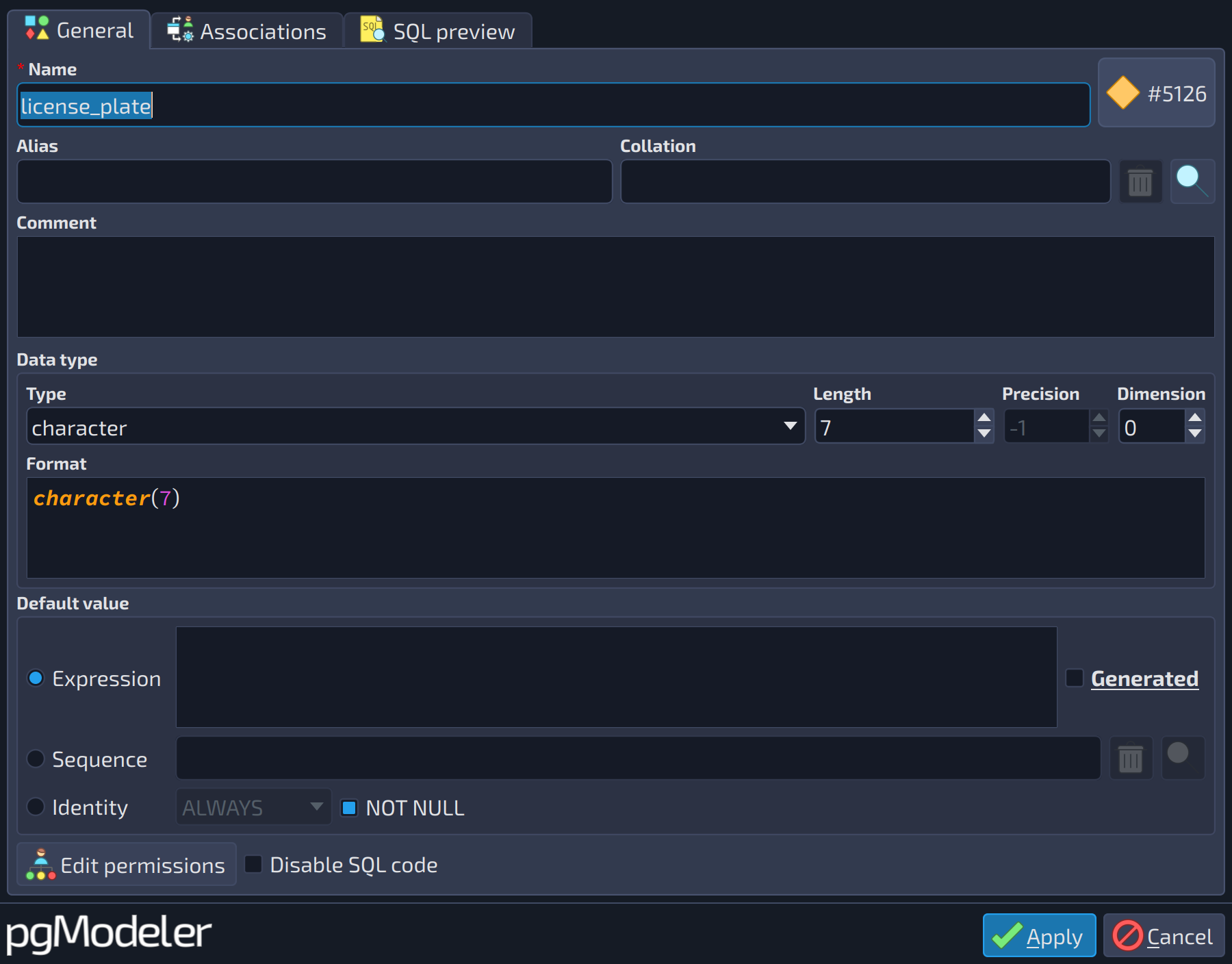 12345678910111213
| General | |||
|---|---|---|---|
| # | Field | Group box | Description |
| 1 | Type | Data type | This attribute handles the data type assigned to the column. |
| 2 | Length | Data type | Length, or number of characters or bits, for the types that accept one, like |
| 3 | Precision | Data type | Precision, for the types that accept it, like |
| 4 | Dimension | Data type | Number of dimensions when the type is an array ( |
| 5 | Format | Data type | Read-only preview of the data type as it is written in the SQL code, with length, precision, dimension and other modifiers applied. |
| 6 | Default value | This field defines the default value for the column in case none is specified in an | |
| 7 | Generated | Default value | This option indicates that the column's default value is generated from other columns' values. For example, say we have a column called |
| 8 | Expression | Default value | Use this option to set up a simple SQL expression as the default value, typed in the field above. When Generated is checked, the expression is used to generate the column's value. |
| 9 | Sequence | Default value | This option is used to configure a default value for serial data types based on a sequence object. Once the sequence is selected, it is converted into an expression like |
| 10 | Sequence (selector) | Default value | The sequence of the model used as the default value when the option |
| 11 | Identity | Default value | This option is used to configure an identity column (introduced in PostgreSQL 10). In recent versions of PostgreSQL, it's also possible to tweak the sequence parameters associated with the identity column. |
| 12 | Identity type | Default value | The kind of identity column when the option |
| 13 | NOT NULL | Default value | Creates a |

 beside the field to pick or clear it.
References
Generated columns
https://www.postgresql.org/docs/current/ddl-generated-columns.html